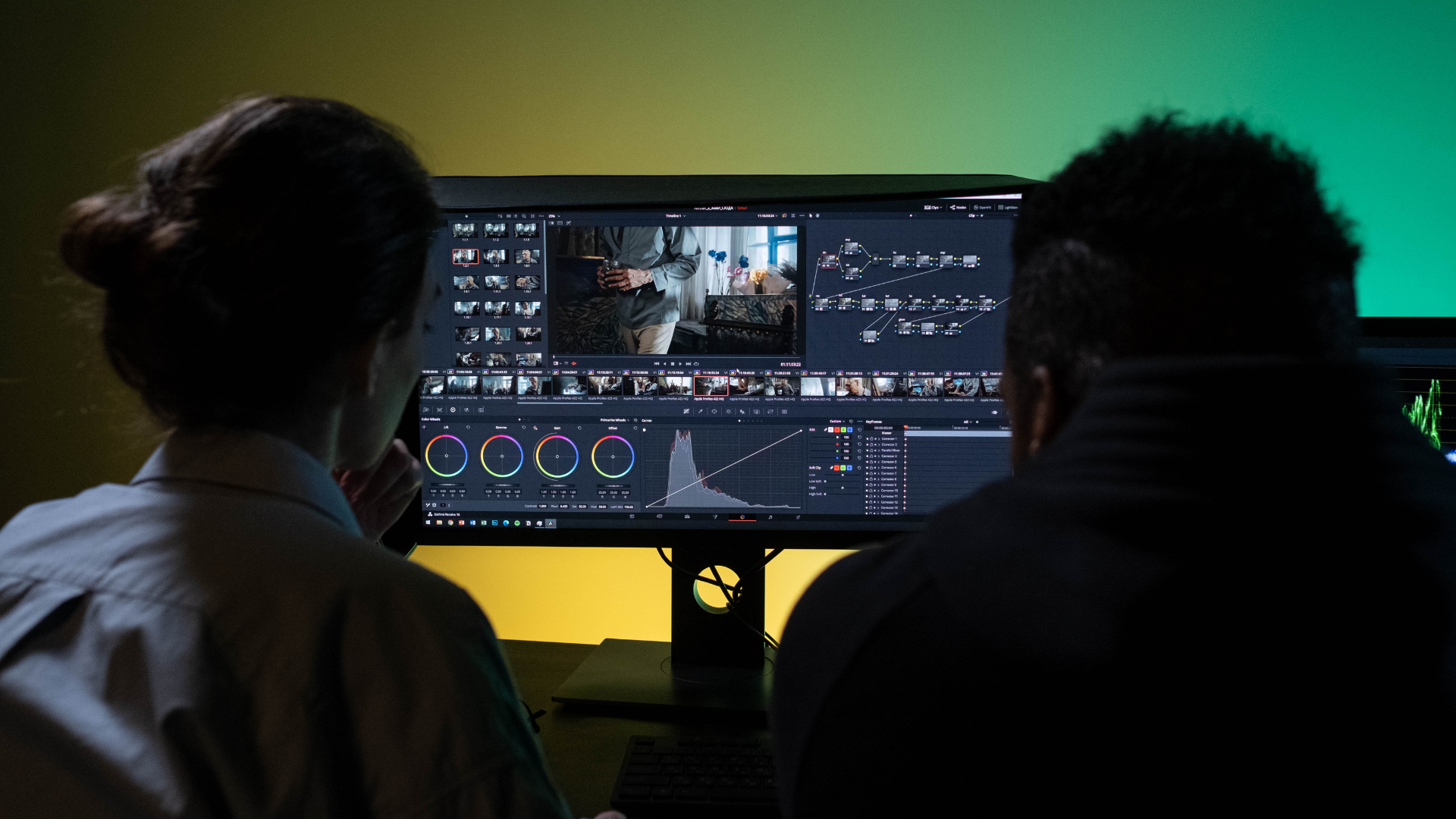
For anyone interested in photography, the choice of photo editing software can significantly enhance their images. The best photo editing software combines powerful tools with user-friendly interfaces, catering to both professional photographers and enthusiasts alike. With advancements in AI technology, many programs now offer features that simplify complex editing tasks, making it easier for users to achieve stunning results.
As photographers look to elevate their craft, understanding the landscape of available photo editing tools becomes essential. Each software option provides unique functionalities tailored for varying skill levels, from simple touch-ups to intricate edits that require advanced techniques. This article explores the top choices on the market and how they meet the diverse needs of today’s photographers.
Choosing the Right Photo Editing Software
Selecting the appropriate photo editing software requires careful consideration of its specifications, features, and cost. Understanding these aspects ensures users can effectively meet their editing needs.
Understanding Software Specifications
When evaluating photo editing software, it’s crucial to examine the specifications. This includes compatibility with different operating systems like PC and Mac. Users should check the software’s RAM requirements to ensure smooth performance.
A minimum of 8GB RAM is recommended for basic tasks, while 16GB or more is ideal for handling large files or advanced features. Also, consider processing power and storage capacity. Some editing programs may benefit from high-performance processors, especially for tasks involving layers and RAW processing.
Evaluating Features and Tools
The features offered by photo editing software can greatly impact user experience. Essential tools include basic editing functions such as cropping and color correction, along with advanced options like masking and filters.
Many software solutions now integrate AI tools that enhance efficiency and creativity. Evaluating whether a program offers a robust range of tools for individual needs is important. Additionally, features supporting a smooth workflow can significantly improve productivity for both amateurs and professionals.
Comparing Cost and Value
Cost plays a significant role in the decision-making process. Users should look for a balance between price and value for money. Some software operates on a subscription model while others offer a perpetual license.
Free photo editing software may suffice for basic needs, but users should evaluate the limitations compared to paid options. Cloud storage can also influence costs, especially for those working with larger files. Analyzing these financial aspects helps ensure the chosen software delivers the necessary tools within budget constraints.
Leading Software Options Reviewed
This section examines key software options suitable for both professional photographers and beginners. It highlights features, usability, and unique selling points to assist users in selecting the right photo editing software.
Professional Grade Software
Adobe Photoshop remains a top choice for professional photographers. Its comprehensive toolset allows fine-tuning of images with precision. Features like layers, masks, and filters enable extensive manipulation.
Adobe Lightroom Classic excels in photo organization and batch editing. It provides powerful color correction and enhancement tools. Adobe’s cloud options make it seamless for photographers to sync across devices.
Capture One Pro is respected for its RAW processing capabilities. It offers color grading tools and high-quality image editing. The advanced tethering options are ideal for studio photographers.
Skylum Luminar Neo introduces artificial intelligence features for quick edits. It balances professional-grade tools with user-friendly interfaces, appealing to both seasoned photographers and newcomers.
Accessible Software for Enthusiasts and Beginners
Adobe Photoshop Elements simplifies photo editing without sacrificing essential features. It caters to users who prefer guided edits, making it easy to learn. Its automated features streamline workflow for casual users.
Corel PaintShop Pro offers an affordable alternative with robust editing capabilities. Its interface is friendly for beginners while still providing advanced tools for creative projects.
Affinity Photo is a strong contender in the budget-friendly category. It boasts high-quality editing tools and supports various file formats. Its one-time purchase model is an attractive option.
GIMP stands out as a powerful free photo editor. While it has a steeper learning curve, it offers extensive features comparable to paid software. Its community-driven development ensures regular updates.
Mobile and Tablet Solutions
Adobe Lightroom Mobile allows photographers to edit on the go. It syncs with Lightroom Classic for a cohesive experience. Users can apply presets and make adjustments directly from their mobile devices.
Cyberlink PhotoDirector 365 is notable for its convenience and ease of use. This app provides a range of effects and filters tailored for quick edits. Its compatibility with iOS and Android ensures broad accessibility.
On1 Photo RAW also has a mobile version suitable for expressive edits. Users appreciate its filters and effects that mirror desktop capabilities.
Free photo editor apps, such as Snapseed, offer basic editing tools with intuitive interfaces. While limited in advanced features, they provide sufficient editing options for casual users.
Enhancing Your Workflow with Advanced Features
Advanced features in photo editing software can significantly enhance efficiency and creativity. Tools that offer automation, AI integration, and various plugins enable users to streamline tasks and focus on more complex edits. The following aspects highlight ways to optimize workflows in image editing.
Optimizing Editing and Output
Photo editing software like DxO PhotoLab 7 provides users with advanced tools for optimizing edits. Features such as smart adjustments allow for quick enhancements, ensuring raw images maintain their integrity while improving visual appeal.
Users can employ color correction tools, which automatically balance hues, brightness, and contrast levels. Tethering capabilities enable photographers to connect their cameras directly to the software, facilitating fast image transfer and immediate adjustments.
Incorporating presets or templates saves time and standardizes editing processes, making it easier to achieve consistent results across multiple images.
Utilizing AI and Automation
Artificial intelligence plays a vital role in modern photo editing, simplifying complex tasks. Techniques like AI masking enable precise selections, allowing users to isolate subjects effortlessly.
Utilizing neural filters enhances portraits by applying intelligent adjustments based on facial recognition. This feature can automatically enhance skin tones, adjust lighting, and even change expressions.
Many programs also offer automated workflows, reducing repetitive actions. By setting up batch processing for similar images, photographers can save significant time during the editing phase.
Expanding Creativity with Add-ons
Add-ons and plugins can transform a standard editing experience into a tailored one. For instance, software integrated with Creative Cloud enables access to a wide range of additional tools and features.
Filters and effects can be expanded through third-party plugins, providing unique artistic styles and textures. Users can explore options like Generase, which creates innovative presets for image enhancement.
Moreover, utilizing specialized plugins for tasks such as noise reduction or sharpening can optimize final output quality. Embracing these features allows photographers to push their capabilities and refine their creative vision.
Best Practices for Asset Management and Sharing
Effective management and sharing of digital assets are crucial for photographers and creatives. By organizing files properly and using efficient sharing methods, users can enhance their workflow and ensure their work reaches the intended audience.
Organizing and Managing Digital Assets
Organizing digital assets is vital for streamlined workflow. Photographers should employ a consistent folder structure to categorize photos by date, project, or client. Utilizing cloud storage solutions, such as Google Drive or Dropbox, allows for accessible file management from any device.
Keyword tagging enhances asset retrieval. By tagging images with relevant keywords, users can quickly locate specific photos for edits or sharing. Adopting file naming conventions that include date and project names can further simplify searchability.
For those working with raw files, consider using image-editing software like PhotoDirector 365 or Adobe Creative Cloud. These tools often include features that aid in the cataloging process. Regularly backing up files ensures the safety of creative work.
Effective Sharing and Publishing
Sharing photos should be purposeful, especially on social media platforms. Well-planned sharing can engage audiences and showcase creative work effectively. Tailor image sizes for each platform to maintain quality without compromising load times.
Utilizing guided edits in software can enhance final images before sharing, ensuring they are polished. When publishing, consider incorporating graphic design elements that align with branding. This approach maintains a cohesive visual identity.
For collaborative projects, consider perpetual licenses for software that permits multiple users to access and edit files. This facilitates teamwork while ensuring that all members have the tools needed to enhance the final results.